
 Back
Back IMPROVED SECURITY
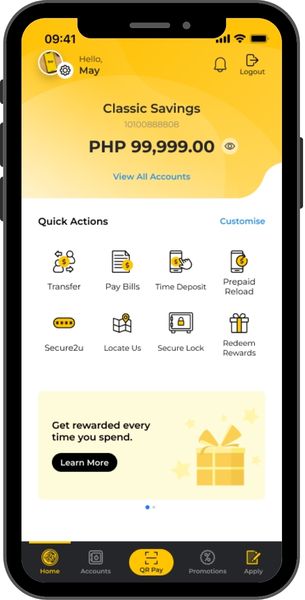
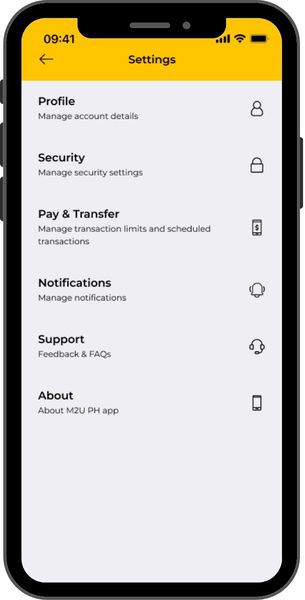
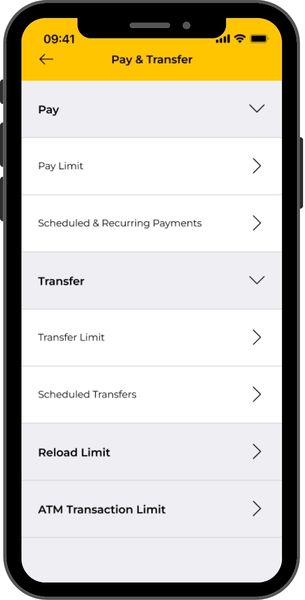
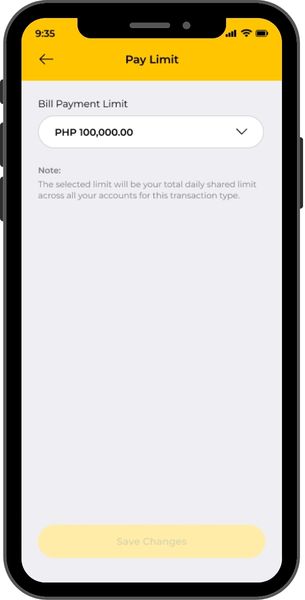
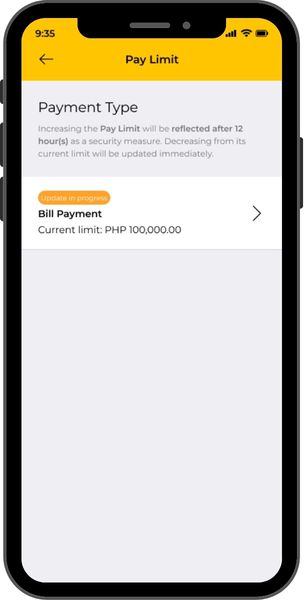
MANAGE TRANSACTION LIMITS:
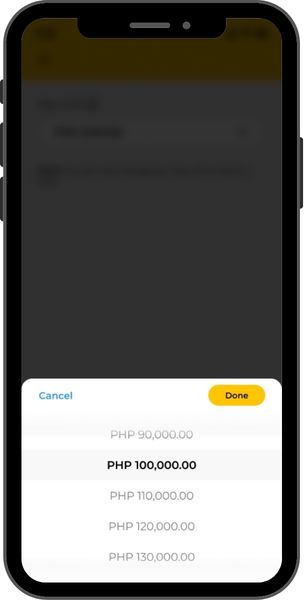
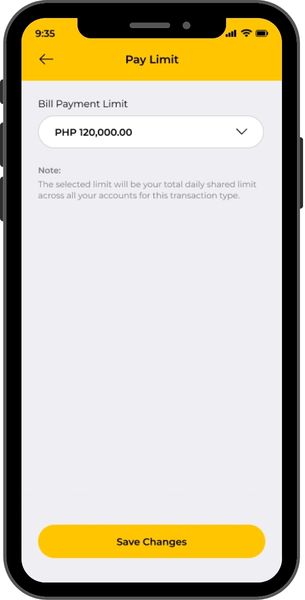
Increase or decrease your transaction limits, whenever you need to, for bills
payments, fund transfers, prepaid reloading and ATM transactions.
Important Reminders
- Your selected transaction limit will be your total daily shared limit across all your accounts for the chosen transaction type.
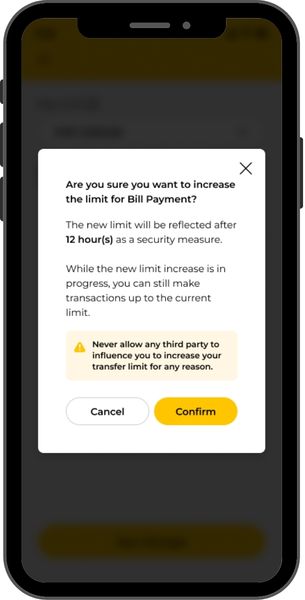
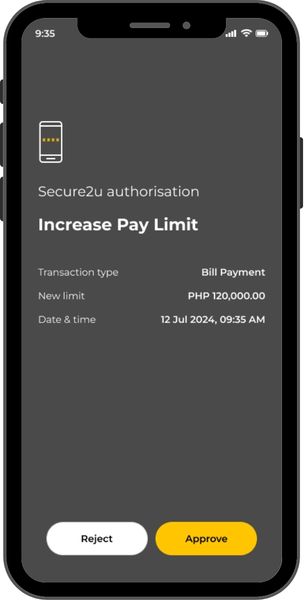
- When increasing limits, the new limit will reflect after twelve (12) hours, for your security. You can still transact with the current limit.
- When decreasing limits, the new limit will reflect immediately after you tap “Save Changes”.
- For transaction types with “No Limit” as the default limit, the “No Limit” option will no longer be available once you adjust your transaction limit via M2U PH App; the available maximum limit will be the highest available limit in the dropdown list.
- Management of transaction limits will only be applicable to the Individual customers and Sole Proprietor customers.
- View the transaction limits here.
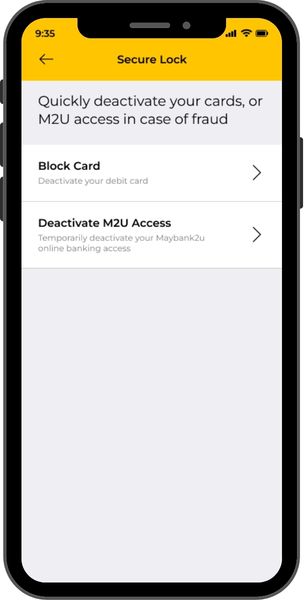
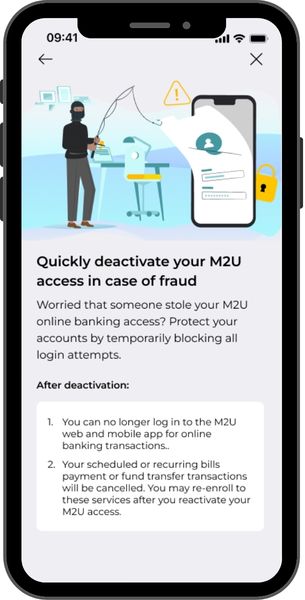
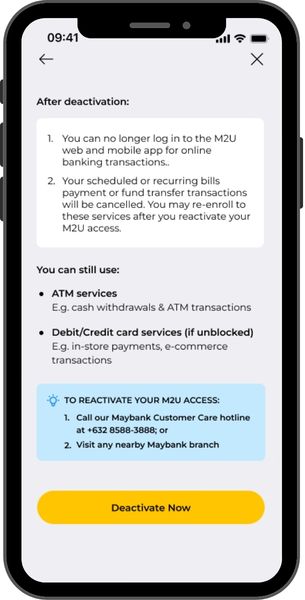
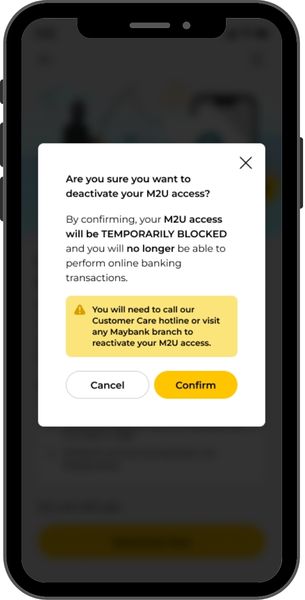
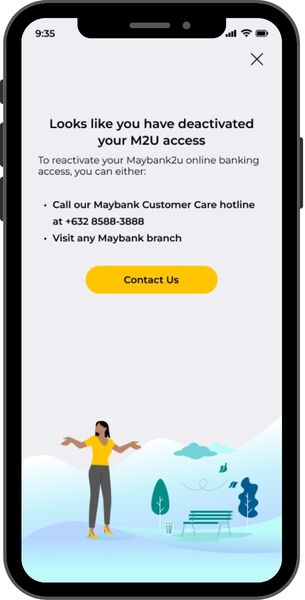
SECURE LOCK: TEMPORARILY DEACTIVATE M2U ACCESS
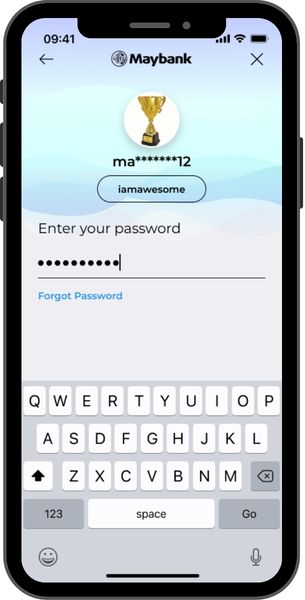
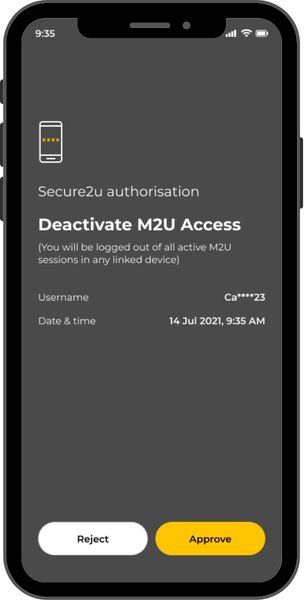
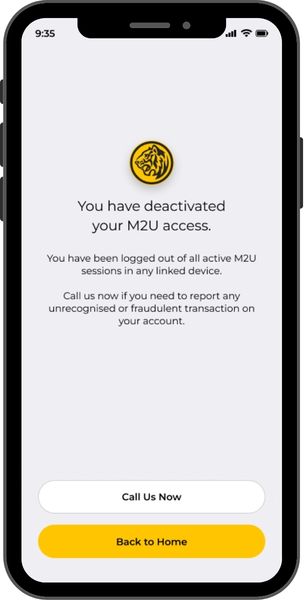
Instantly freeze your M2U access in-app, in case of any suspected
unauthorized access to your M2U account.
Important Reminders
- Upon deactivation of your M2U access, you will be logged out of all active M2U sessions in any linked device in both M2U mobile app and internet banking.
- To reactivate your M2U access, please call Customer Care or visit any Maybank branch near you.
- Once your M2U access has been reactivated, it is highly encouraged that you change your password.
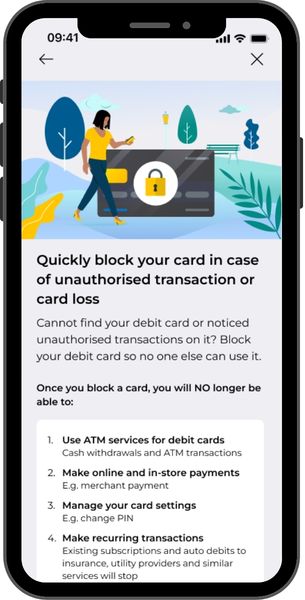
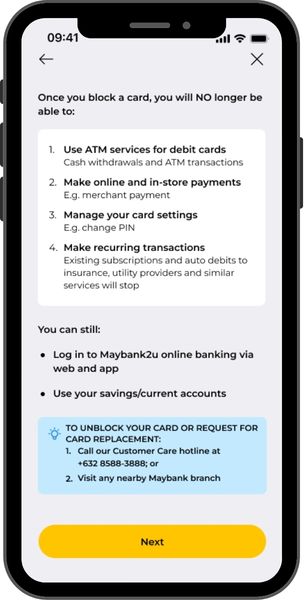
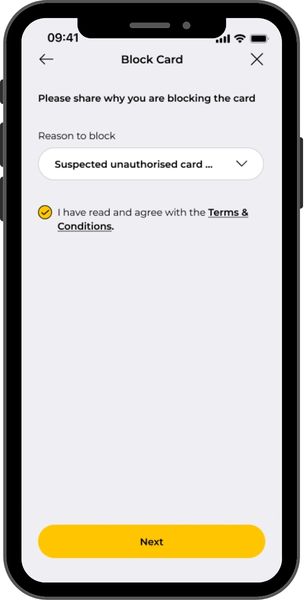
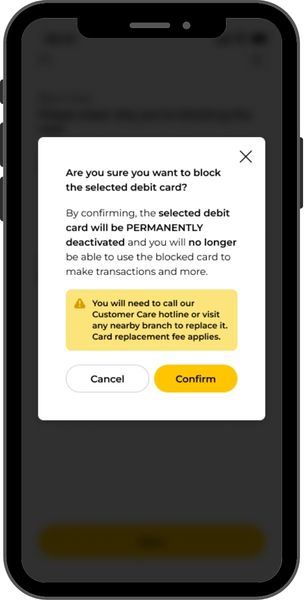
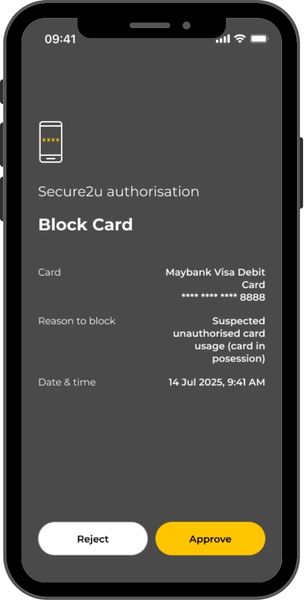
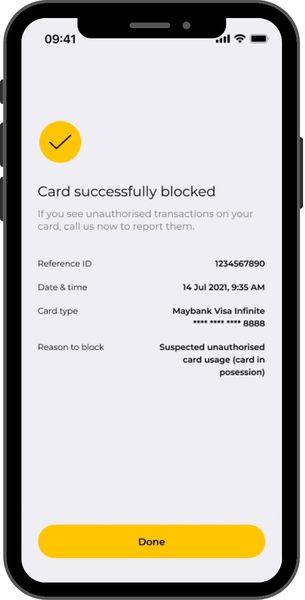
SECURE LOCK: PERMANENTLY BLOCK DEBIT CARD
Permanently block your Maybank Debit Card immediately in-app, in case of suspected fraud or in case you lost your card.
Important Reminders
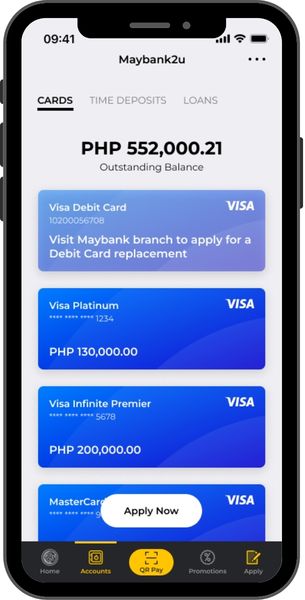
- Once you have permanently blocked a debit card, you can no longer use the card for transactions. You may request for a card replacement, subject to applicable fees, via Customer Care or any Maybank branch near you.