
 Back
Back
INSTANTLY TRANSFER & RECEIVE FUNDS VIA 
 No need to enroll accounts! Simply enter the recipient's details.
- Add accounts to your Favourites list to skip typing account details in your next transactions
- Generate your own QR code to receive funds or scan your peers’ QR codes for quick and easy fund transfers.

HOW TO INSTANTLY TRANSFER FUNDS VIA INSTAPAY WITH M2U:
| 1. | Under Quick Actions on the Home Dashboard, tap 'Transfer' |
| 2. | Select 'Others' and select the bank to transfer to |
| 3. | Enter the details of the account that you will Transfer To |
| 4. | Choose the Purpose of Transfer from the dropdown list |
| 5. | Select the Account that you want to Transfer From and enter the amount to transfer |
| 6. | Select InstaPay as the Transfer Method* |
| 7. | Confirm the details and approve the transaction with a tap via Secure2u. Take a screenshot of your receipt. |
| *InstaPay Transfer Method will be available in the app screen if the selected bank is subscribed to InstaPay as a receiving bank. | |
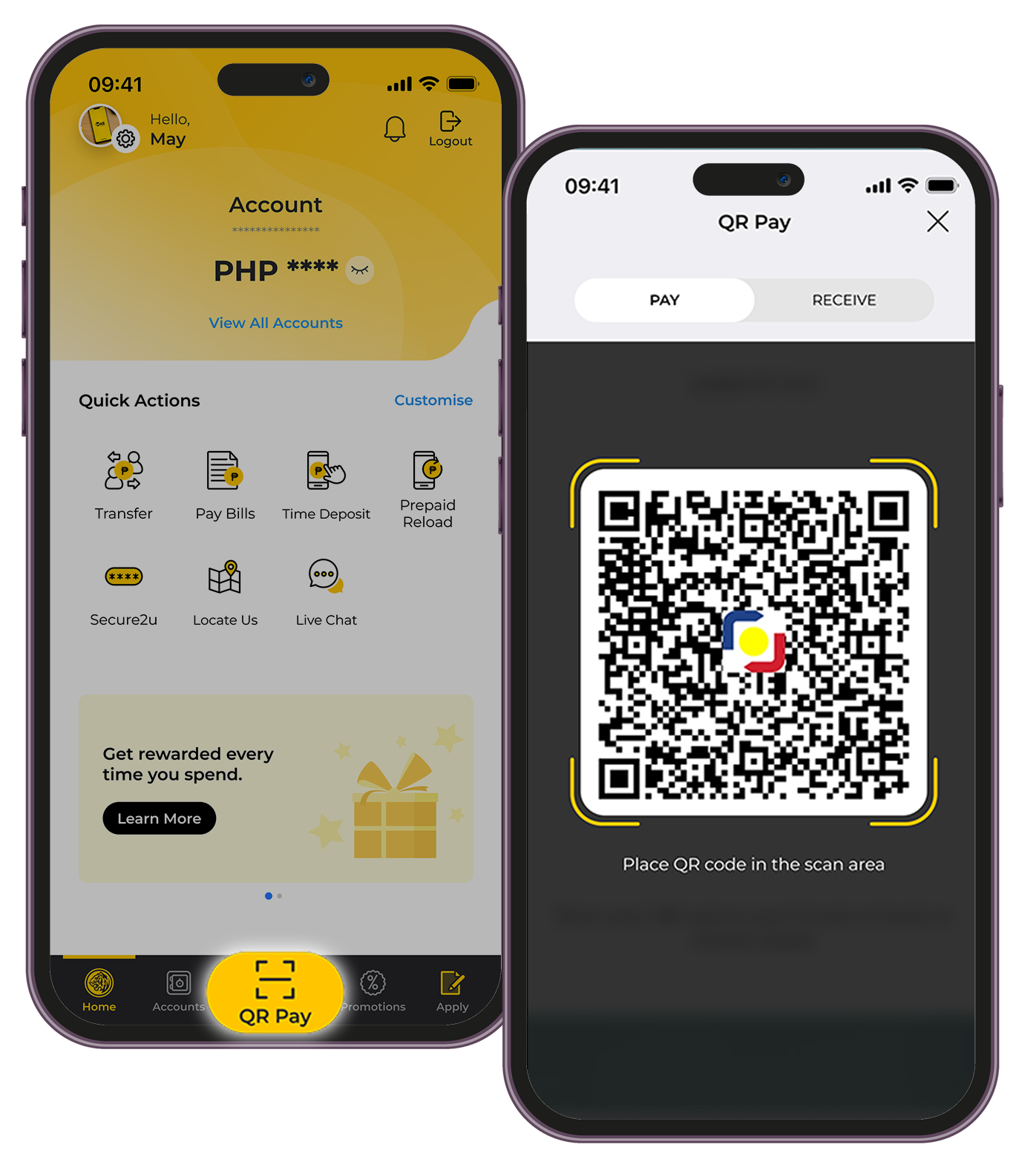
TRANSFER FUNDS VIA QR Ph:
| 1. | Tap the QR Pay icon on the bottom navigation bar |
| 2. | Scan the QR Code (QR Ph) of the person you will transfer to or upload the QR Code from your photo gallery |
| 3. | Enter the amount you want to transfer |
| 4. | The default source account will be your Primary Account. You may tap “Change” if you want to change the source account for your QR transfer |
| 5. | Confirm the details and tap Pay Now. Take a screenshot of your receipt. |

GENERATE YOUR QR Ph TO RECEIVE FUNDS:
| 1. | Tap the QR Pay icon on the bottom navigation bar |
| 2. | Tap on RECEIVE at the top portion of the screen and your QR Code for your Primary Account will be generated. You may tap "Change" if you want to generate a QR code for another account |
| 3. | If you want to generate a QR Code with a specific amount, tap Enter Amount and input the amount and your QR Code will be generated |
| 4. | Share or take a screenshot of your QR Code. |
Reminders
- Ensure your Maybank Philippines source account has sufficient funds to avoid unsuccessful fund transfer transactions.
- You can transfer up to PHP50,000 per account per day using your M2U PH app.
- Minimum amount to transfer funds via M2U PH is PHP100.
- Each InstaPay fund transfer transaction is FREE of charge. You may view the updated fees and charges and transaction limits here.
- For a smooth transaction , kindly ensure that you encode the correct destination account number.