ONLINE DEBIT CARD REQUEST
Conveniently request for a new debit card or change your debit card PIN with just a
few taps via the Maybank2u PH (M2U) mobile app.
No forms and no queues! The new debit card request and delivery are FREE*
Enjoy free withdrawals at over 900 Maybank and Euronet ATMs nationwide.
Learn more about Maybank ATMs here.
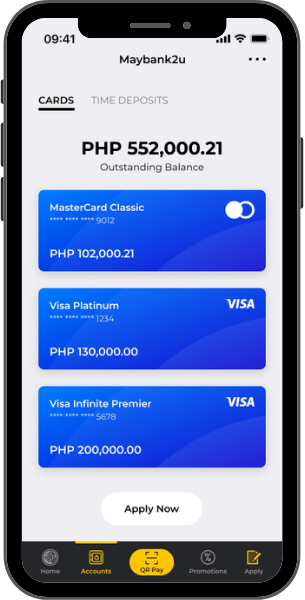
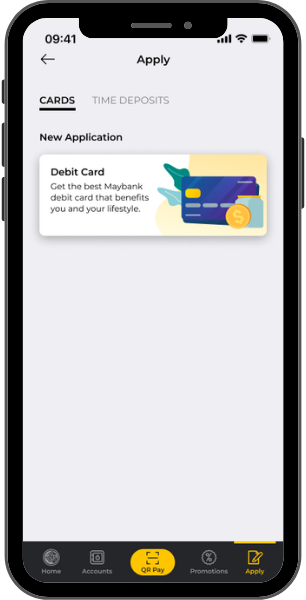
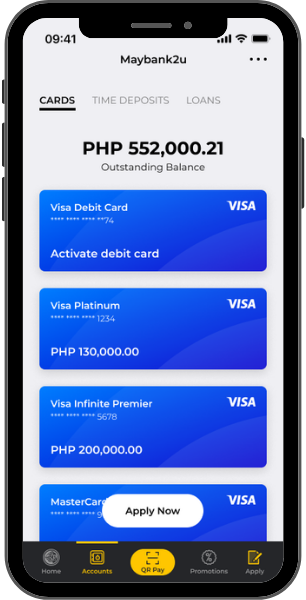
Go to "Cards" and click "Apply Now"
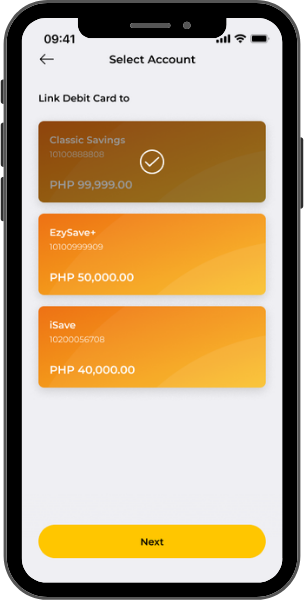
Select the deposit account to be
linked to debit card
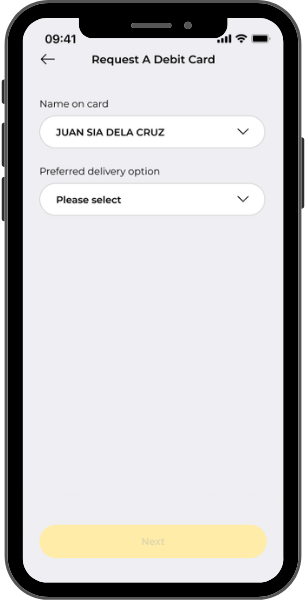
Select your preferred name and dropdown
button under "preferred delivery option"
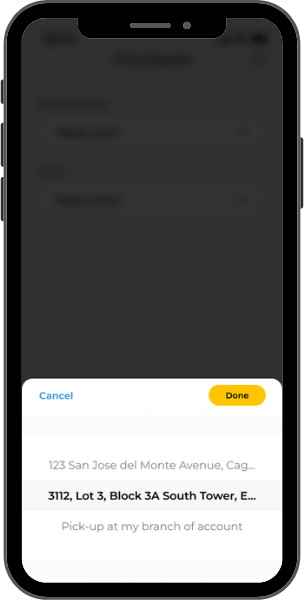
Select you preferred delivery address
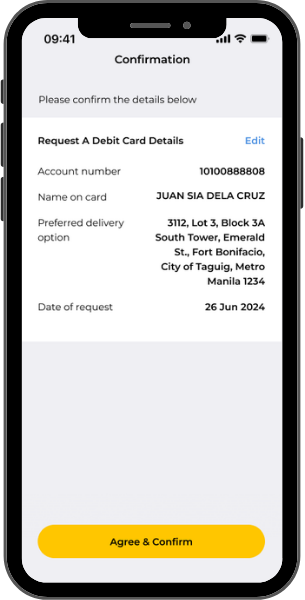
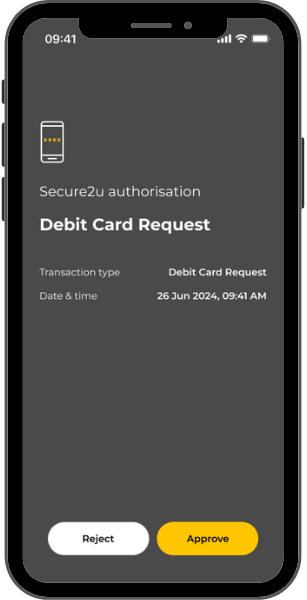
Click "Agree and Confirm"
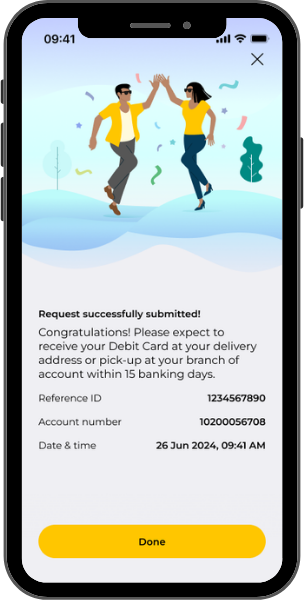
Debit Card request successfuly submitted!
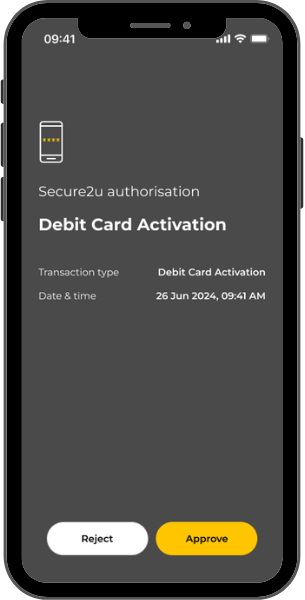
ACTIVATE DEBIT CARD AND NOMINATE YOUR PIN
Select the debit card to be activated
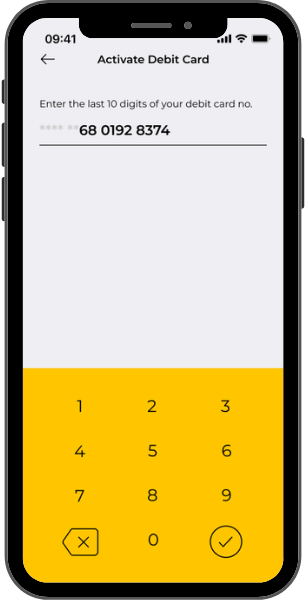
Enter the last 10 digits of your debit card no.
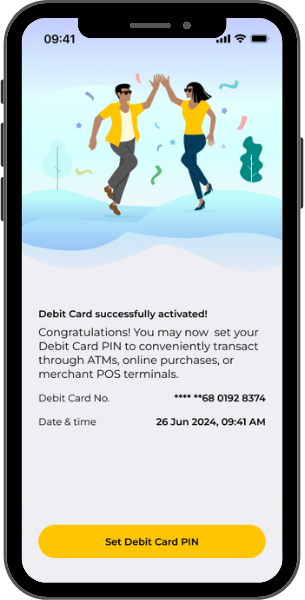
Debit Card successfully activated!
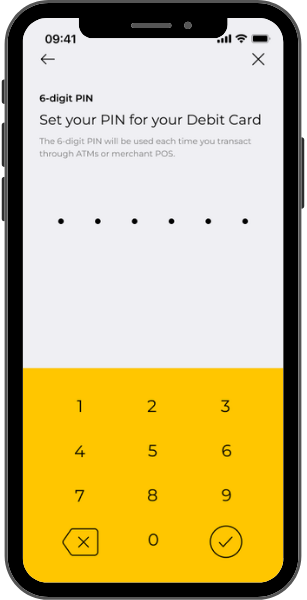
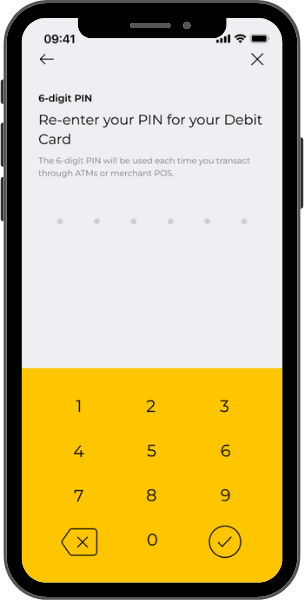
Nominate your debit card PIN
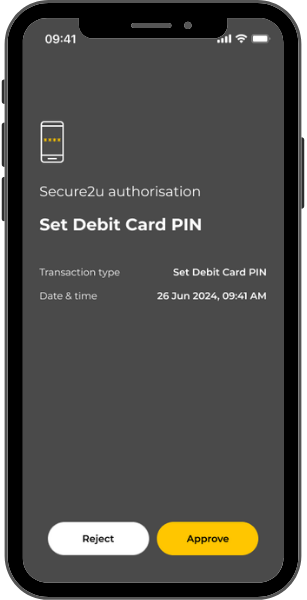
Re-enter your nominated debit card PIN
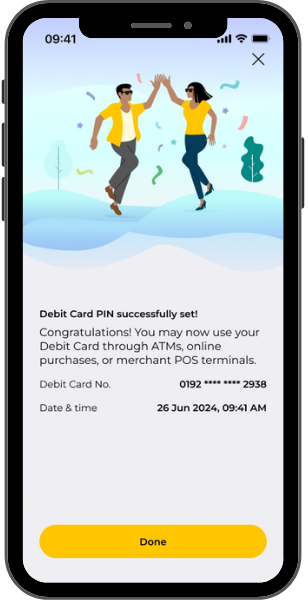
Debit Card PIN successfully set!
For the step-by-step guide on how to apply for a debit card and PIN changes, click here.

 Back
Back