
 Back
Back RELOAD YOUR PREPAID ACCOUNTS WITH M2U
 No need to enroll accounts! Simply enter your prepaid account to start loading.
- Add billers to your Favourites list to skip typing account details in your next transactions
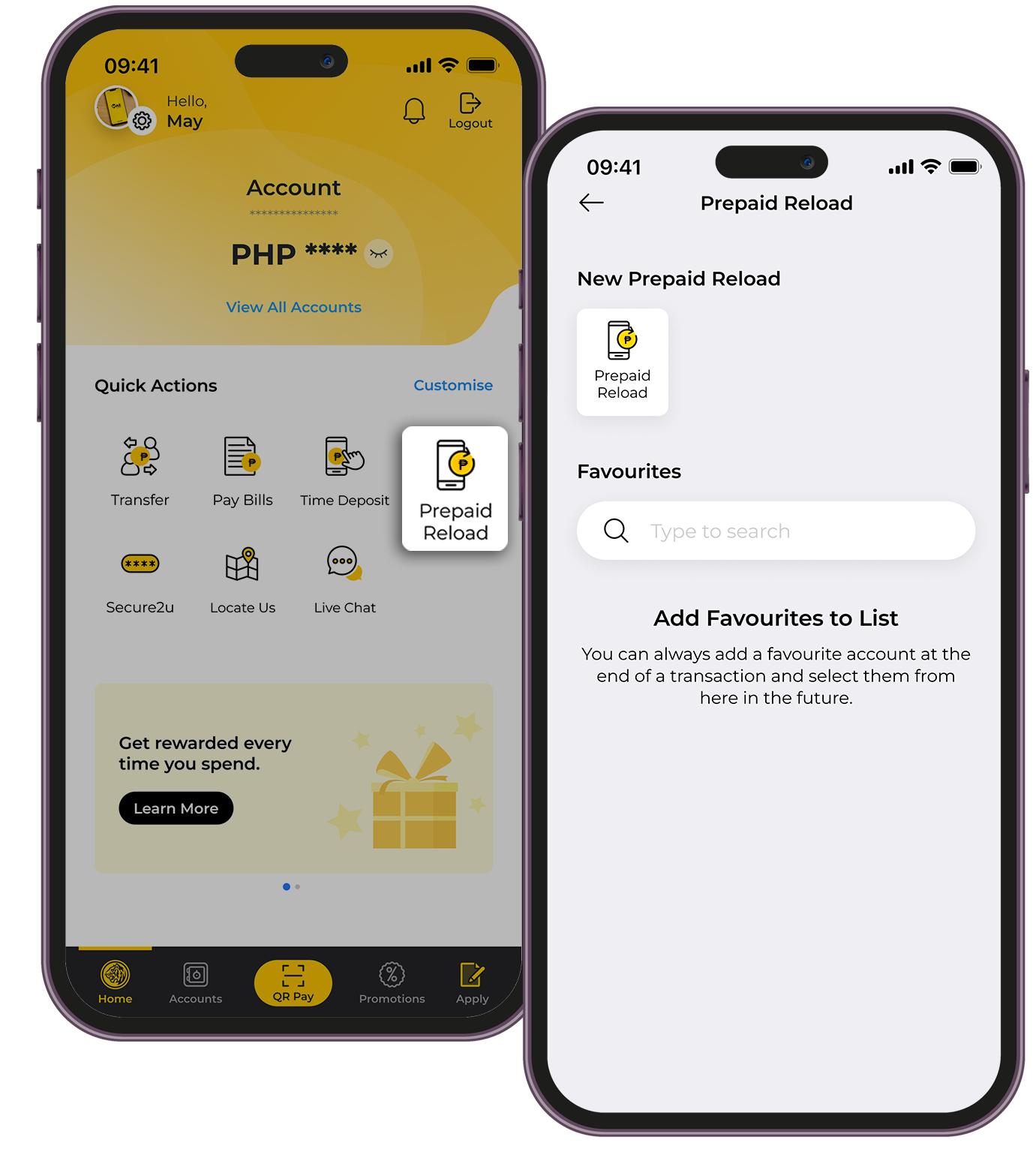
HOW TO RELOAD YOUR PREPAID ACCOUNTS:
| 1. | Under Quick Actions on the Home Dashboard, tap "Prepaid Reload" |
| 2. | Select the Account that you want to Pay From |
| 3. | Choose from the Prepaid Reload list available. |
| 4. | Input mobile number / account number to be reloaded |
| 5. | Choose from the package selection available. |
| 6. | Confirm the details and approve the transaction with a tap via Secure2u. Take a screenshot of your receipt. |
To know if your preferred prepaid package or service provider is available in M2U, click here.
Reminders
- Kindly ensure your source account has sufficient funds to avoid unsuccessful prepaid reload transactions.
- A convenience fee may be charged prepaid account provider and deducted from your source account. The fee amount varies per biller but it will be reflected on your M2U confirmation screen.
- For a smooth transaction, kindly ensure that you encode the correct prepaid account number.